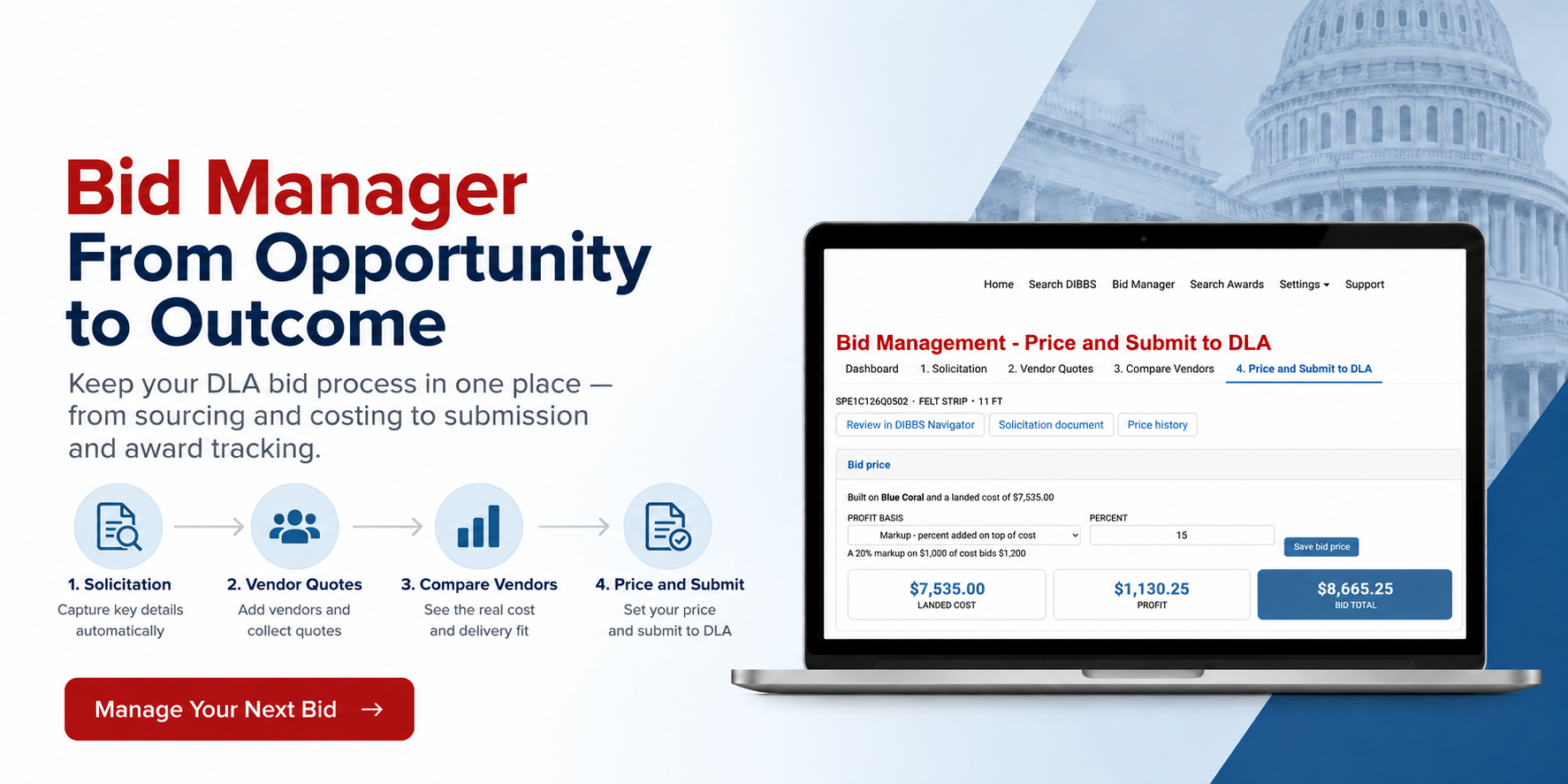
Finding a DLA solicitation worth pursuing is only the beginning.
From there, you need to calculate your costs, confirm requirements, set your price, submit your bid, and track the result.
That process can quickly become scattered across DIBBS, spreadsheets, emails, vendor websites, and separate files.
DIBBS Navigator Bid Manager brings it all together, helping you manage a DLA solicitation from opportunity to outcome.
Start With the Solicitation
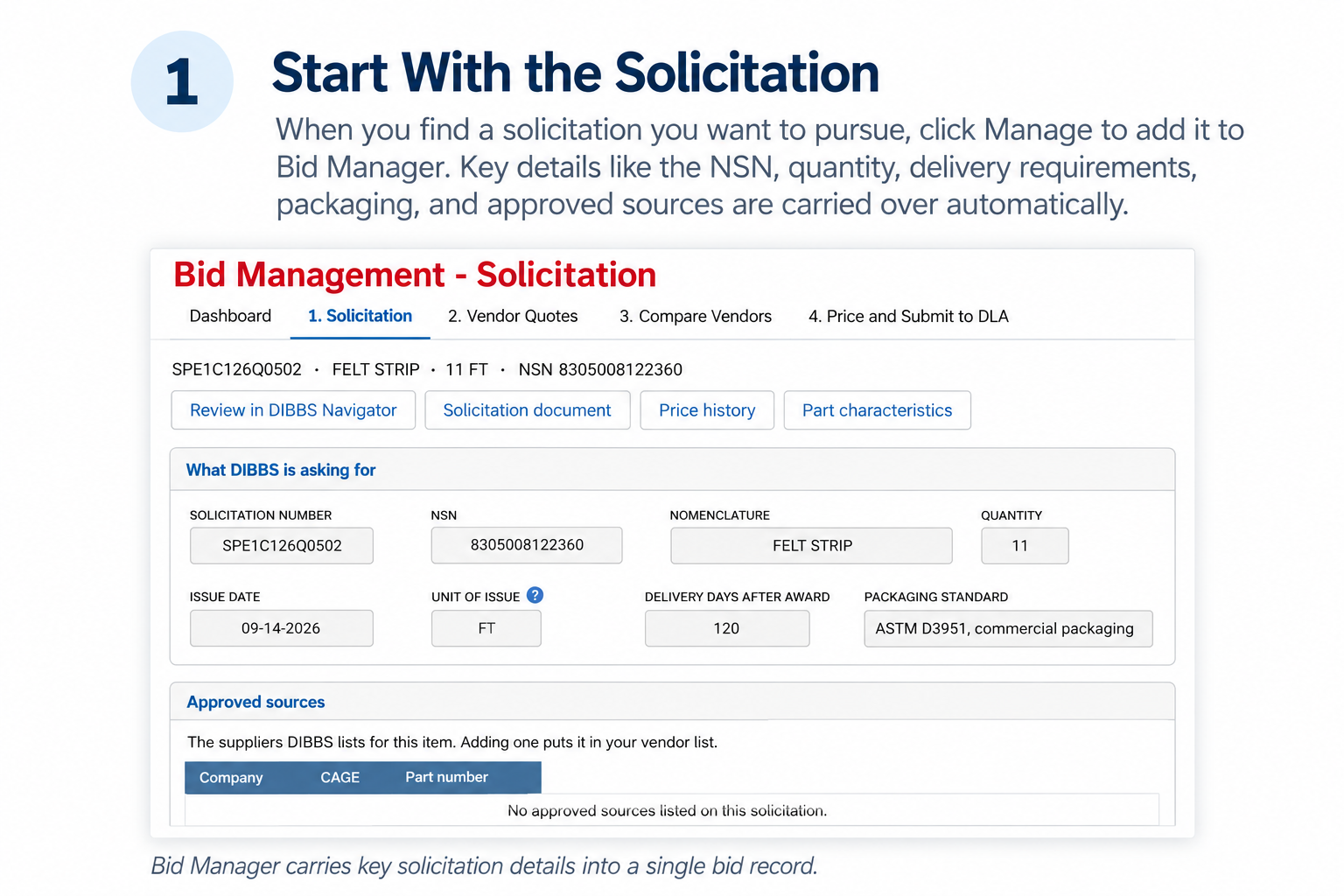
When you find a solicitation you want to pursue in DIBBS Navigator, click Manage to add it to Bid Manager.
Important solicitation information is carried over automatically, including the NSN, quantity, delivery requirements, close date, FOB information, packaging requirements, approved sources, and more—so there’s no need to re-enter the details.
From there, the solicitation stays with you through the entire process:
Solicitation → Vendor Quotes → Compare Vendors → Price and Submit
You can view and manage your active bids anytime by selecting Bid Manager from the main menu.
Keep Sourcing and Quotes With the Bid
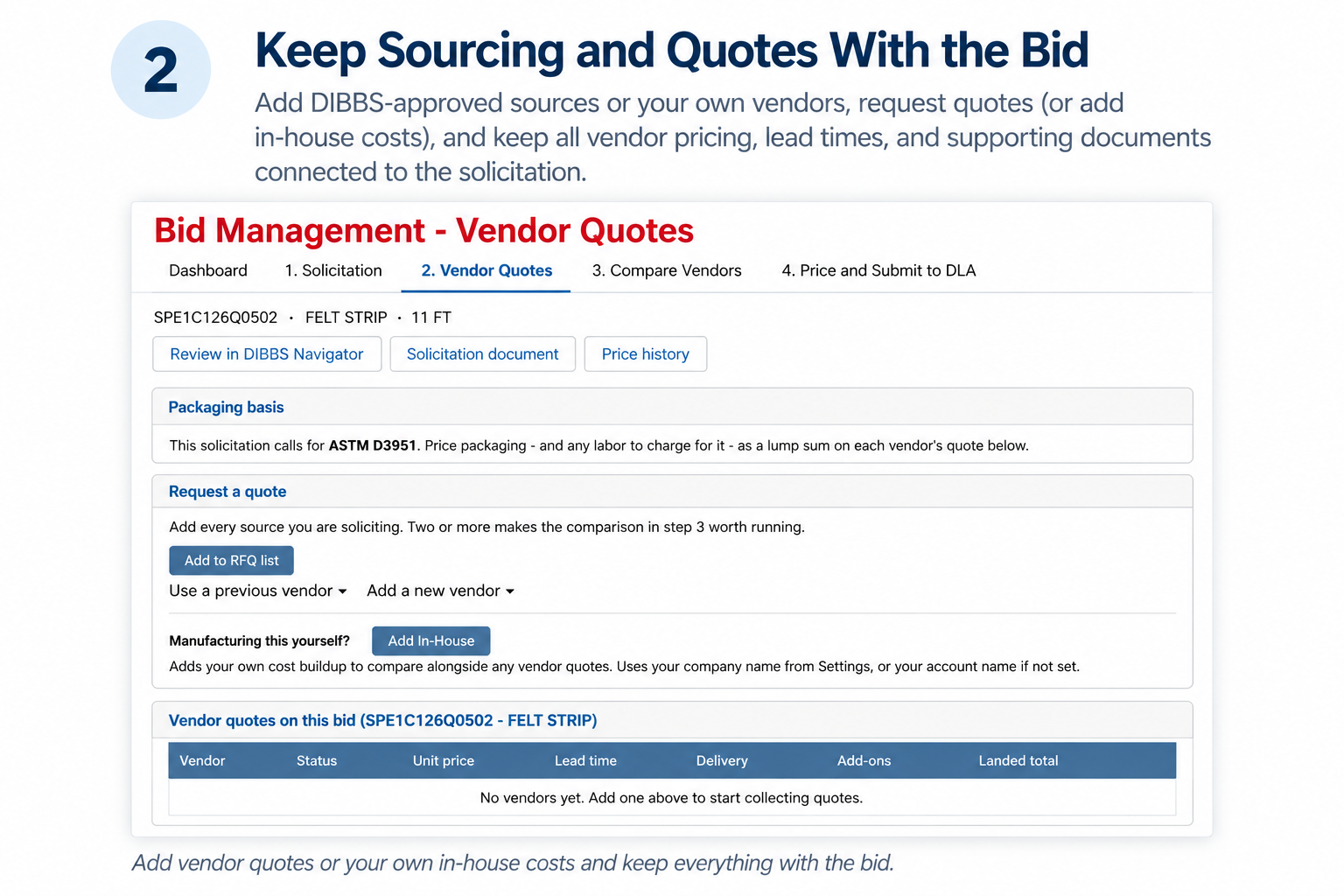
Bid Manager keeps the information you need to price a bid connected to the solicitation.
You can add DIBBS-approved sources or your own vendors and build a vendor roster you can reuse across future bids. Manufacturers can also add in-house production costs and compare them alongside outside vendor quotes.
DIBBS Navigator can draft vendor RFQ emails based on the solicitation requirements. Vendor pricing, lead times, packaging, freight, inspection, certification, and other costs can then be recorded with the bid.
You can also attach vendor quotes, email responses, pricing screenshots, and other supporting information directly to the quote, so the information behind your pricing stays with the bid.
Compare the Real Cost
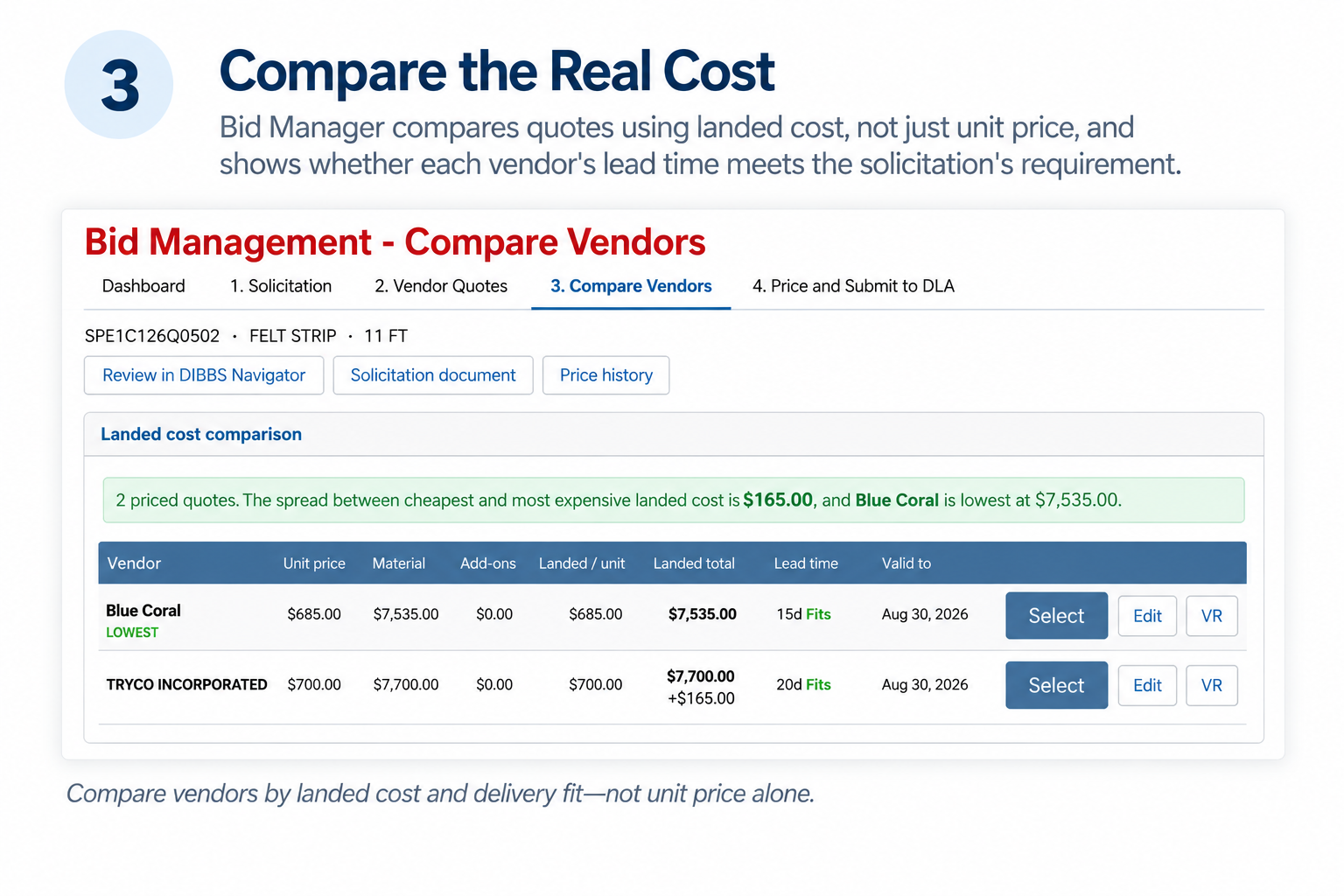
The lowest unit price isn't always the lowest-cost option.
Bid Manager compares quotes using landed cost, factoring in packaging, freight, marking, inspection, certification, and other costs you've entered.
It also shows whether a vendor's quoted lead time fits the solicitation's delivery requirement and identifies vendors DIBBS lists as approved sources for that specific solicitation.
That gives you a clearer picture of what each option will actually cost and whether it can meet the requirements of the bid.
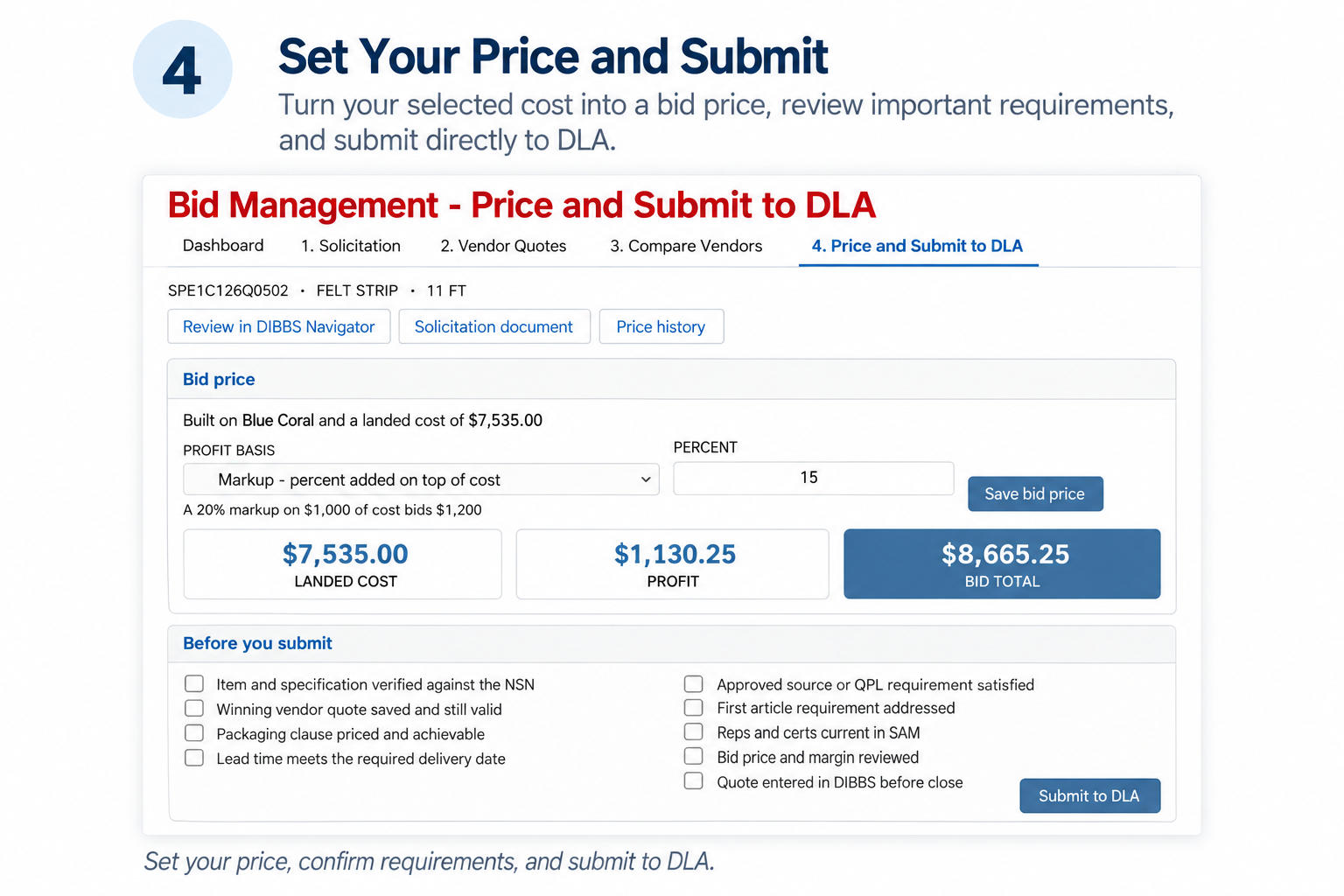
Set Your Price and Submit
Once you've selected the best option, Bid Manager carries your costs into the pricing stage.
Choose markup or margin, enter your target percentage, and see your bid total, expected profit, and unit price update automatically.
When you're ready, Submit to DLA opens the DIBBS quoting process and automatically records the bid as submitted in your pipeline.
Learn From Every Bid—and Every Vendor
Bid Manager also gives you a better record of what happens after you submit.
Once DLA posts an award, Bid Manager automatically records the outcome, including who won and the awarded price, building a history of wins, losses, win rate, and awarded value.
Vendor Reputation helps you keep track of your experience with suppliers, including responsiveness, pricing, packaging capabilities, quote and lead-time reliability, and quality.
Over time, that history can help you make better decisions about which vendors to work with on future bids.
From Opportunity to Outcome
DIBBS Navigator already helps you find and evaluate DLA solicitations. Bid Manager extends that workflow through costing, sourcing, vendor comparison, pricing, submission, and award tracking.
Instead of finding an opportunity in one place and managing everything that happens next through spreadsheets, emails, and separate records, you can keep the bid process together within DIBBS Navigator.
Already a DIBBS Navigator subscriber? Log in, select Bid Manager from the main menu, or click Manage on any solicitation to get started.
New to DIBBS Navigator? Sign up for a free trial and see how DIBBS Navigator can help you find, evaluate, and manage DLA opportunities from search through submission and beyond.